
What if you could design the perfect conversation with an intelligence that can solve almost any problem?
That’s what prompt design is: the architecture of dialogue between human intent and machine understanding.
These systems now speak back in our language, so you can just ask for what you want.
And when you can say anything, the skill is knowing what to say exactly.
📌 What’s Inside
- Learning to speak machine
- Context: painting the picture
- Ask: saying exactly what you need
- Rules: defining success and boundaries
- Examples: showing what you mean
Learning to speak machine 🗣️
Prompting AI is like describing the colour red to someone who’s never seen it: warm like fire, intense like anger.
You’re translating something intuitive into words that bridge a gap between human intention and statistical patterns.
Kate Moran from Nielsen Norman Group put it simply:
“[…] generative AI tools can be extremely useful, but only when given the right instructions. It’s like giving directions. You wouldn’t just say “go to the store.” You’d say “drive north on Main for two miles, turn left at the light by the coffee shop, and the store’s on your right.” […]”
The difference between useless and useful is context and specificity.
The CARE framework makes that practical.
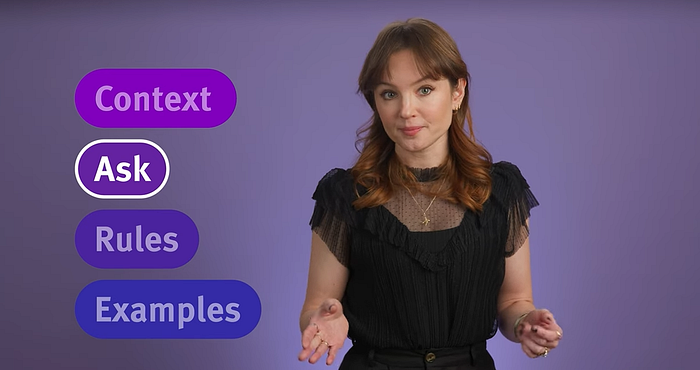
CARE stands for Context, Ask, Rules, and Examples: four pieces that turn vague prompts into reliable design tools.
Context: painting the picture 🎨
Context is the backstory the AI needs: the who, what, where, and why before the how.
Treat the model like someone who knows nothing about your users, product, or constraints.
Context covers: Who are you? What are you working on? Who are your users? What situation are you in? What constraints matter?
So instead of “write an error message,” You’d write:
I’m a senior UX designer working on an ecommerce eyewear site for an international retailer. We’re redesigning the login screen where customers access accounts, order history, and prescription details. Our users range from millennials to older adults who may not be comfortable with digital interfaces. I need an error message for when their email and password don’t match our records; it’s a frustrating moment because they’re often trying to reorder contacts or check a prescription deadline.
Now the AI understands the environment, the users, the emotional state, and why this moment matters.
Ask: saying exactly what you need 🎯
The Ask is your concrete request: what deliverable, in what format, with what scope, for what outcome.
Compare:
“Help me with an error message.”
vs.
“Write a user-facing error message of about 100–150 characters that displays on the login screen when a user’s email and password combination doesn’t match any records in our authentication system.”
A good Ask is specific enough that if someone handed you exactly what you described, you could immediately say whether it works.
Vague questions get vague answers; prompts behave the same way.
Rules: defining success and boundaries 📜
Rules are your guardrails and quality criteria: guidelines, tone, inclusions and exclusions, and technical limits.
Treat Rules like briefing a junior on your system: every message explains what happened and what to do next; the voice is friendly and conversational, helpful without being condescending, never blaming the user; copy fits a 150-character error component, reads at an eighth-grade level, and works with screen readers.
You can also break the task into steps so the AI follows a process: check against our style guide, explain the problem without jargon, offer a clear action, and keep the brand voice.
You’re not just asking for output but you’re giving it a whole workflow.
Rules should include what not to do as well: don’t use technical error codes, don’t make the user feel stupid, and don’t exceed character limits.
Examples: showing what you mean 🖼️
Examples are demonstrations of what good and bad outcome looks like. I normally include both positive and negative versions:
Good: “We couldn’t find an account with that email. Double-check your spelling or create a new account.”
Bad: “Error 401: Authentication failed. Please try again.”
The first is friendly and actionable; the second is jargony, passive, and unhelpful.
The model learns from patterns in sentence length, word choice, and how you address the user.
Not every prompt needs the full CARE treatment, but for serious UX work (interface copy, research plans, interview guides, pattern analysis, etc), it changes the quality of what you get back.
So, here’s a complete CARE prompt using the same scenario:
Context: I’m a senior UX designer working on an ecommerce eyewear site for a retailer. I’m designing the login screen where customers access their accounts, order history, and prescription details. Our users range from tech-savvy millennials to older adults less comfortable with digital interfaces.
Ask: Write a user-facing error message that displays when a user’s email and password combination doesn’t match any records in our authentication system.
Rules: Follow UX error-message guidelines: explain what happened and what to do next. Use our brand voice: friendly and conversational, helpful without condescension, never blame the user. Maximum 150 characters. Eighth-grade reading level. Include at least one actionable next step. Avoid technical jargon and error codes.
Examples: Good — “We couldn’t find an account with that email. Double-check your spelling or create a new account.” Bad — “Error 401: Authentication failed. Please try again.”
For years, our tools were manual.
We dragged handles, pushed pixels, and wrote copy one line at a time.
Now we can talk to our tools, but the need for judgment hasn’t changed.
Good prompts still depend on knowing your users, brand, and quality bar. AI doesn’t give you that itself, but it amplifies it.
CARE is simply a structure: Context for shared understanding, Ask for purpose, Rules for quality and consistency, Examples for pattern-matching.
Design has always been about communication: between humans and systems, between intent and execution.
The systems process our language, but we still choose the words, decide which context matters, what we’re asking for, what standards apply, and what quality looks like.
And that’s exactly where design lives now.
Subscribe on Substack⬇️
You might also like:
📚 Sources
Share this article: